
 -50%
Cameras & Video
Samsung Galaxy S22 Plus Rear (Main) Camera Replacement
Original price was: $95.00.$47.50Current price is: $47.50.
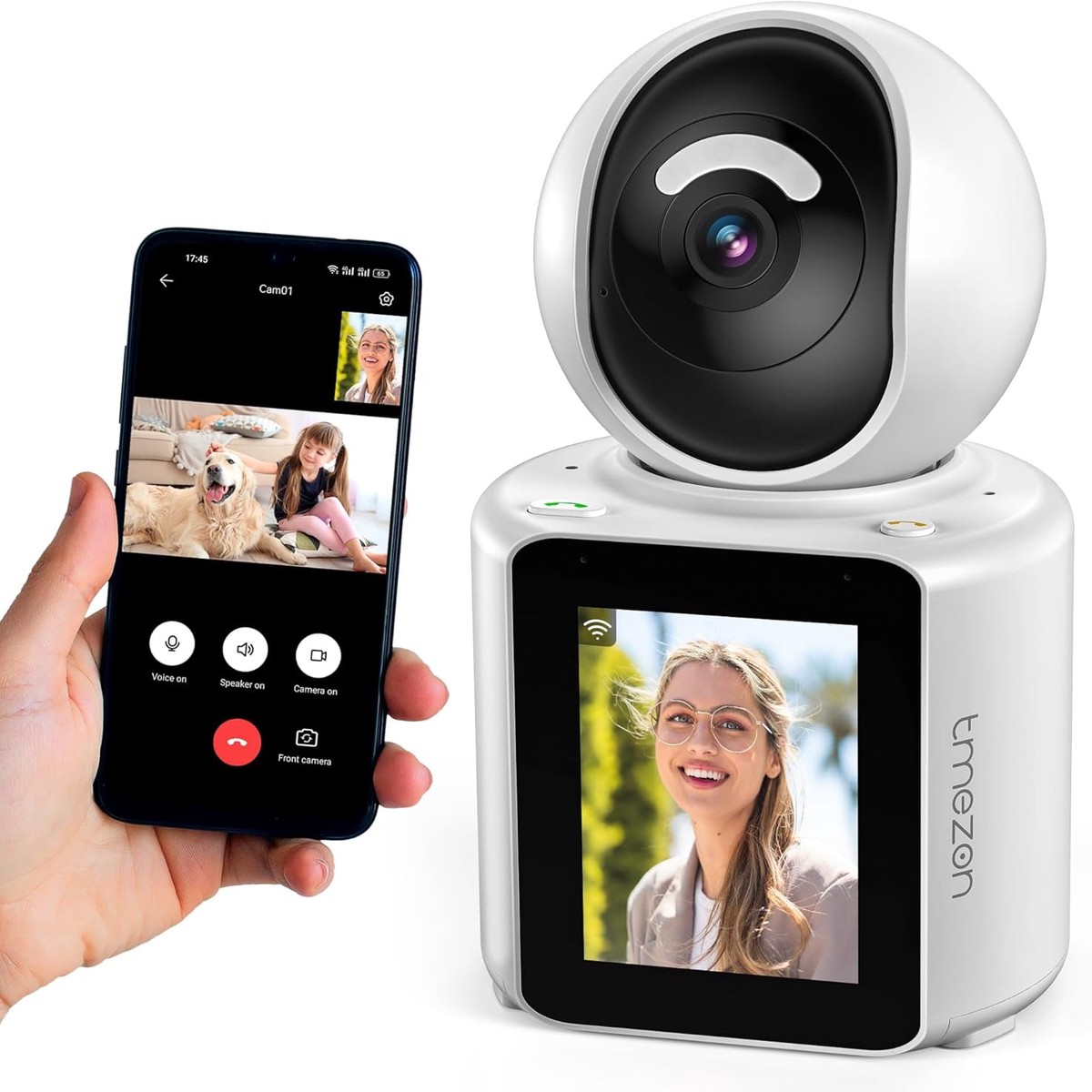
Power on- Download Im Cam app -Register and login-Add device(select the bluetooth mode,make sure the device is in the network pairing state)-Click on the device image to enter the live video-Click the video call button/press the call button to make a video call.
Click the setting button in one of camera on the main page on the app, find the call setup button, add the device that you need to call into button 1, choose the button 2 to add the other device into button 2, then you can make a video call between devices.
Click the ” motion intection” on Im Cam app, then the camera will auto moving and following when humanoid movement was detected.
Chat with your baby or familys (even with your loved pets) when you are away from home. dislike other wireless security camera indoor, our video call camera support two way video call and two way voice communications allows you to interact with people on camera in real time.
120 degrees wide-angle lens 350 horizontally 60 vertically rotation monitoring capabilities
One-Click Call Your Families;support to make a video call between devices.
Activity AlertsReceive real-time notifications whenever motion is detected
Chat with your baby,Elder(even with your loved pets) when you are away from home.2-way videoa,voice
-50%  -20%
 -20%
 -20%
Reviews
There are no reviews yet.