Features
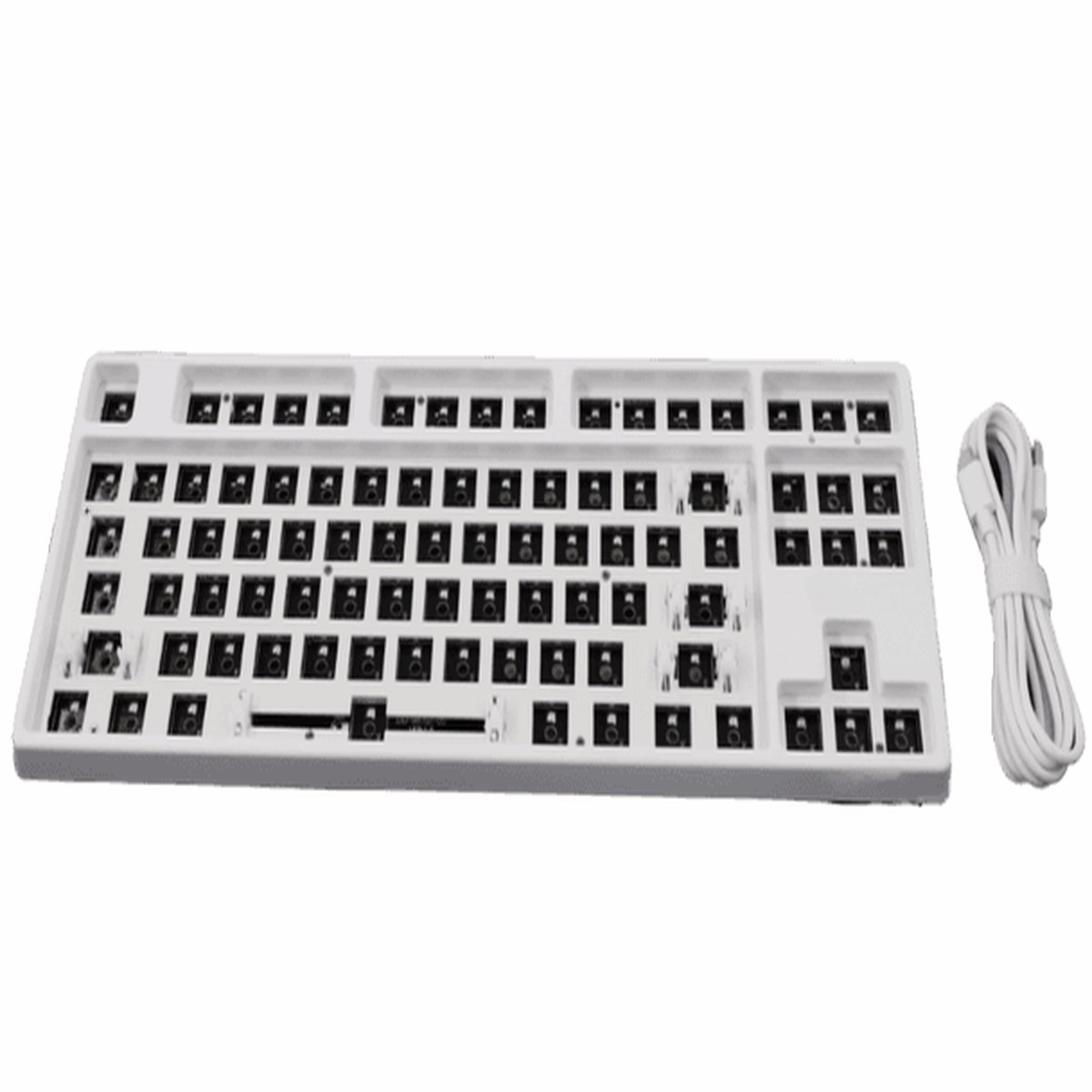
- Bluetooth up to 3 devices/Wired Mode
- Hot Swappable switches and keycaps (Not Included)
- Customisable lighting effects
- Ability to record macros
- Win Key lock/unlock
Specifications
| Colour |
White |
| Material |
Aluminium |
| Cable Type |
USB Type C |
| Backlighting |
RGB surface mounted LEDs |
| Switch Compatibilty |
Cherry MX switch types |
Instructions:
FN+Tab: cable/Wireless mode switch
- When keyboard is connected with the cable, Press the FN+Tab switch to wired mode, Press FN+Tab again, switch to Wireless Bluetooth mode.
- The backlight will flash two times to confirm the switch.
FN+P: To enter pairing mode
- Turn On the switches from the back of the keyboard
- First press FN+Tab to switch to Wireless Bluetooth mode
- Then press FN+P for 3 seconds to enter the pairing state
- (P key will continuously flash until paired successfully)
FN+Q/W/E: Bluetooth device Switch
- You can connect and switch between 3 devices in Bluetooth mode.
- To switch connected device, press FN + Q/W/E
- The light will flash twice to confirm pairing
You will need to charge the keyboard via cable before use. Full charge will take around 3 hours.
When in Bluetooth mode, the keyboard backlight will power off after 1 minute and sleep after 5 minutes, this is to preserve battery life
Multi-media and special function key:
| FN+F1 |
Computer |
FN+F7 |
Next |
| FN+F2 |
Browser |
FN+F8 |
Stop |
| FN+F3 |
Mailbox |
FN+F9 |
Volume + |
| FN+F4 |
Media Player |
FN+F10 |
Volume – |
| FN+F5 |
Previous |
FN+F1
|

 -50%
Reviews
There are no reviews yet.