The video showcases the product in use.The video guides you through product setup.The video shows the product being unpacked.
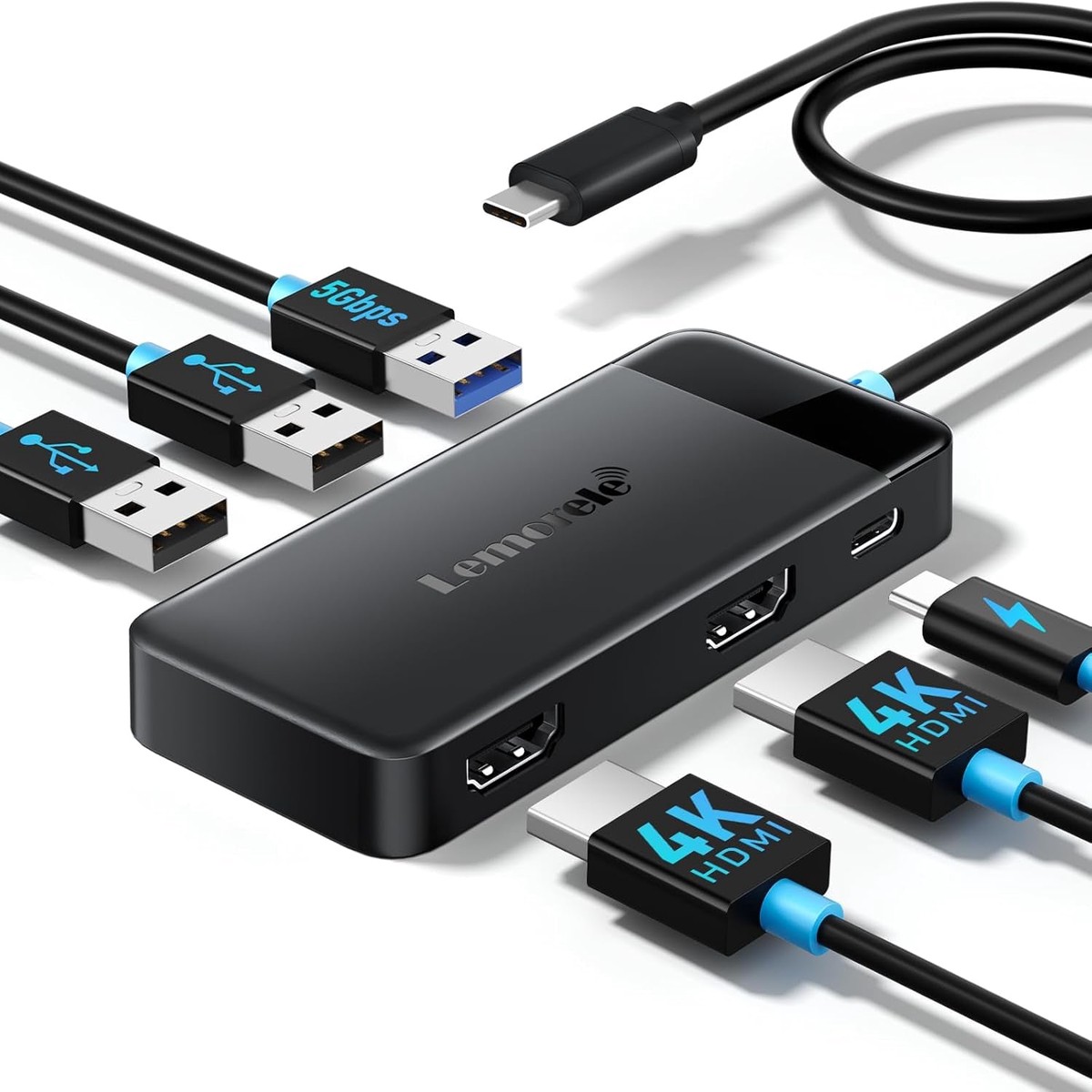
Lemorele 6 in 1 Docking Station Dual Monitor Hub
Why your monitor resolution is 1080P?
Windows connects two HDMI displays in MST multi-screen extension mode:max support 1080P 60HZ; MacOS connects two HDMI displays in SST mirroring
mode:max support 4K 30HZ; WindowsOS/MacOS connects a single HDMl display:max support 4K 30HZ
How to extend dual displays on Window?
WindowsOS uses the WindowstP key combination keyboard to select the display mode, or you can select the corresponding display mode in the display
settings
How to extend dual displays on MacOS?
MacoS only supports SST mode. You can open the system preferences, select mirroring in the display settings or mirror the same extended screen display
(three-screen extension mode is not supported)
What laptop the docking station compatible with?
HUB connecting HDMI display requires the laptop’s USB C interface to support DP Alt mode; MacOS itself does not support MST multi-screen extension
function. Connecting multiple displays will mirror the same extended screen in SST mode.
Can the USB C port support data transfer or expand the screen?
This HUB’s USB C PD interface only supports PD power adapter input. Please use the laptop’s USB C PD power adapter to connect.
USB C Dual HDMI Adapter Compatible List (Not a full list)
**NOTE**
Please make sure your laptop with a fully function(support charging, data transfer and video output) USB-C port or Thunderbolt 3/4 port. If not sure please check with us.
Apple
**please note,it won’t support mst for apple: if you use 2/3/4 display port(hdmi),all monitore will be same image. MacBook/ MacBook Pro (2022/2021/2020/2019/2018/2017/2016); Macbook Air 2018-2020, Mac mini 2018-2020; iPad Pro 2018; iMac 27 2019 Extended HDMI Monitor
Surface
Microsoft Surface Book 2/ Surface Go/ Surface Laptop 3, Surface Pro 7
Dell Laptop
Dell XPS 9380/ XPS 13 9365/ XPS 15 2018/ XPS 13 9300/ New XPS 15 with i7 dedicat
Reviews
There are no reviews yet.
Be the first to review “Lemorele 6-In-1 USB C Docking Station Monitor with Dual HDMI 4K30Hz Display” Cancel reply

 -50%
Reviews
There are no reviews yet.