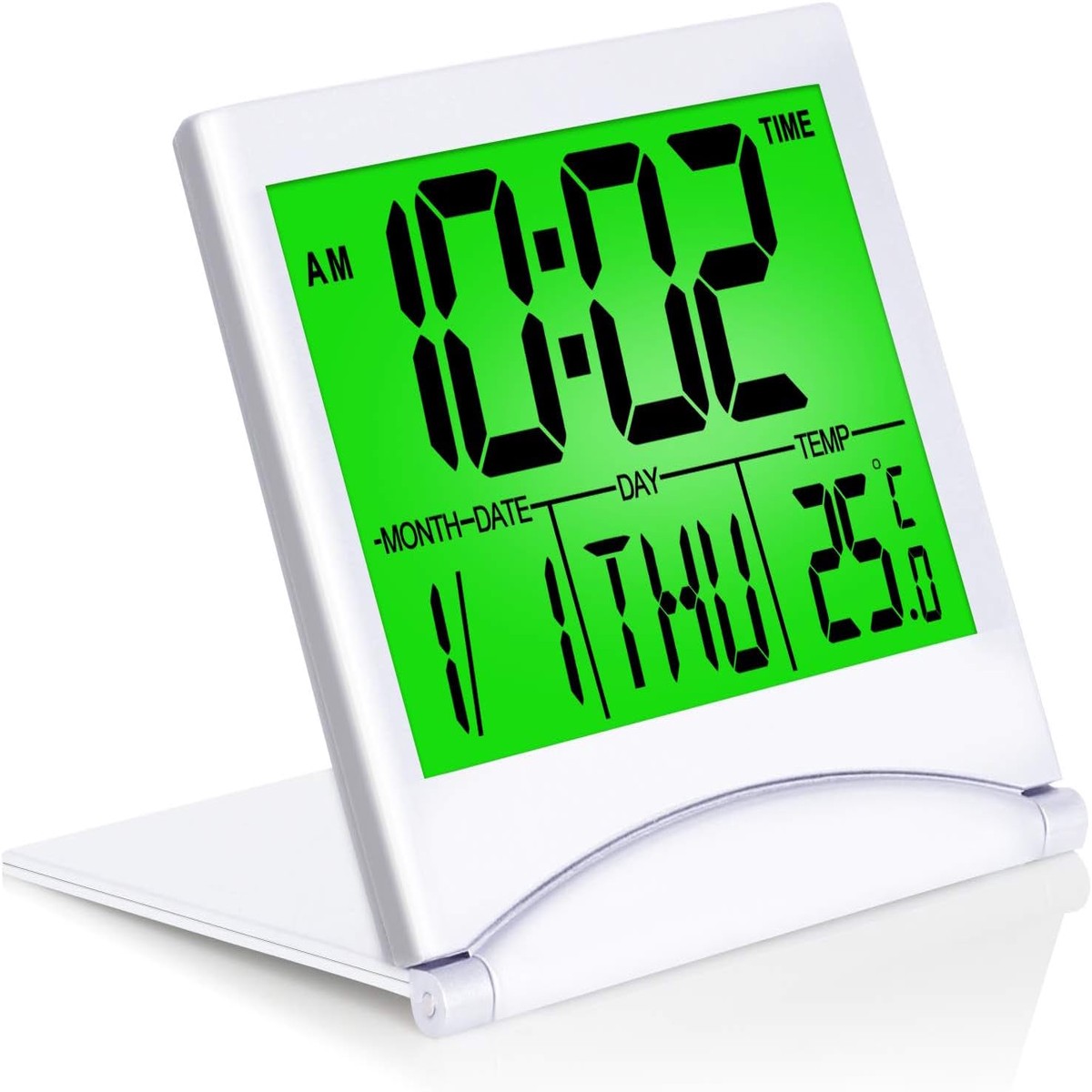
Betus Digital Travel Alarm Clock with Backlight – Foldable Calendar & Temperature & Timer LCD Clock with Snooze Mode – Large Number Display, Battery Operated – Compact Desk Clock f
$59.95Original price was: $59.95.$29.98Current price is: $29.98.
SET TIME FORMAT: In time mode, press ADJ/UP button to change time format between12-hour and 24-hour.
SET TIME : In time mode, press SET button to enter into time setting mode by following the sequence of hours, minutes, years, months, days& exit. Press UP and DOWN button to set up your desired time and date. Please ensure you set the correct year, otherwise the date/day will display incorrectly. There is no way to change the day directly. Once you have selected the correct year, month and date, the day will display correctly. If you find the day display incorrectly: In time mode, press the “SET” button three times, then press “UP” to select the correct year. Press the “SET” and “UP” with the same steps to select correct Month and Date. Once done, hit the “SET” button, the day will change correctly.
ALARM SETTING : Press MODE button to enter into alarm setting mode. Then press SET button to set hours, minutes, snooze and alarm tone in sequence. (Press UP and DOWN button to choose your desired time, snooze time and alarm). TURN ON/OFF ALARM & SNOOZE :In alarm mode, press DOWN or UP button to turn on/off the alarm and snooze. When alarm goes off, it will ring for 1 minute. When snooze is set up, snooze will work ONLY twice. During alarm, press any button (except set) to snooze, press SET to discharge.
Our tutorial videos are going to show you step-by-step how to set the Betus travel alarm clock, please watch our videos on the detail page.
Note: A button is placed below the digital clock, and the light is illuminated when the button is pressed (the light is maintained for 8 seconds).
Q : How to set the year?
A : Hello,In TIME mode, press the “SET” button three times, then press “UP” to select the correct year. Press the “SET” and “UP” with the same steps to select correct Month and Date. Once done, hit the “SET” button, the day will change correctly.
Q : How to turn off the alarm?
A : Press MODE to enter into ALARM setting mode(a bell icon). press UP to turn on/off the alarm(sound icon display) and snz(SNZ display). Press MODE to back TIME mode. If there is only a TIME icon and no sound icon display, this means alarm is turn off.
Reviews
There are no reviews yet.
Be the first to review “Betus Digital Travel Alarm Clock with Backlight – Foldable Calendar & Temperature & Timer LCD Clock with Snooze Mode – Large Number Display, Battery Operated – Compact Desk Clock f” Cancel reply

 -50%
 -50%
 -50%
 -50%
Reviews
There are no reviews yet.